
How Can We Help?
Guide: Overview
Splash Guide: Your GTM-AI Knowledge Base
To get the most out of SplashLogicAI, you first need to provide it with the “DNA” of your brand and product(s). By uploading your core documentation to the platform, you create a dedicated GTM Knowledge Base for your self-serve selling. This context allows the AI to generate high-performing, brand-aligned strategic GTM plans and hyper-personalized smart sales content that resonate with your specific Buyers.
Now one very important thing to understand is that it’s not about the amount of documentation you provide. Ideally, we’re talking about 3-5 PDFs. It’s more about how focused and detailed they are with the details that matter to you and your Buyer.
So let’s take a look…
1. Understand the Hierarchy
The critical thing to understand for this context guide is that Splashmetrics works by selling your product/solution to specifically defined Buyers.
- The Buyers Define the Splash: Every campaign starts with the personas you are targeting – and defining how your product(s) meet their needs. If you’re selling the same product/solution, but to different groups of Buyers, you need separate Splashes. This is what drive the hyper-personalization.
- Global Brand Context: This drives the overarching messaging across all products to ensure brand consistency.
- Specific Product/Solution Context: This drives the specific sales interactions and messaging unique to that individual product/solution.
2. Assemble Your Knowledge Base
While multiple formats are supported, PDF is ideally preferred for consistency. Your documentation should be organized into two main categories – and, as mentioned above, be no more than 3-5 documents:
Global Brand Context: These documents define your high-level brand identity and apply to all products/solutions and campaigns.
- Brand Messaging & Voice guidelines
- Visual Branding Guidelines
- Global GTM strategy documents
Specific Product/Solution Context: These documents focus on the specific nuances of the product you are currently planning for.
- Sales Playbooks
- Product Spec Sheets
- 2-3 High-Performing Assets (e.g., Ebooks, Case Studies, Whitepapers, etc.)
- Any additional collateral relevant to selling the product through interactive smart content
Note: If you don’t have these documents we can help you create them for an additional charge.
3. Provide to SplashLogicAI
Once your documents are gathered – if you don’t yet have an account, you can provide them directly to your assigned LifeGuard for review and upload; or if you do already have an account…
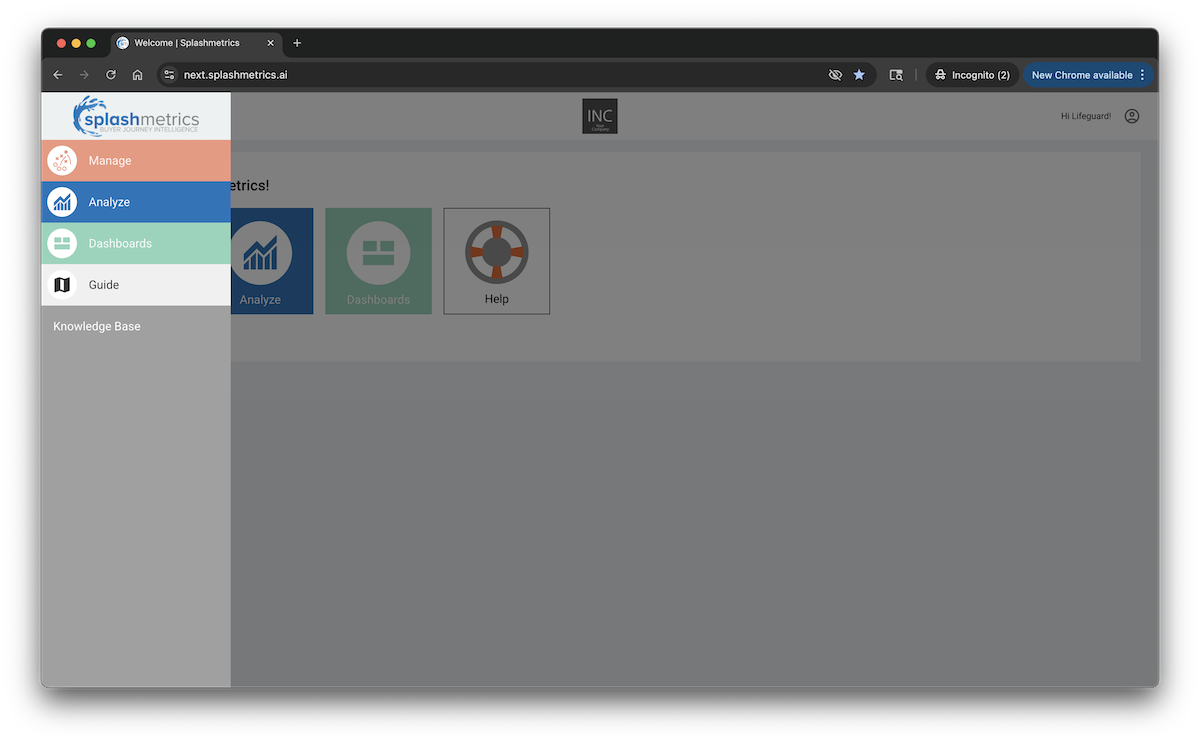
- Navigate to the main Splash Console
- Select the Guide component
- Upload your files directly into the designated Global and Product slots
The Result
Once uploaded, SplashLogicAI immediately gets to work. It uses this deep context to analyze your brand voice and product strengths, automatically generating the first draft of your Splash Plan.
That’s it! Your GTM AI is now armed with the intelligence it needs to help your Buyers dive in.