How Can We Help?
SplashMaker : Journey Sharing
One of the most powerful features of any sales content journey is the Buyer’s ability to share it with colleagues. This way, if done right, you expand the reach of your self-serve sales effort with zero additional overhead – and in the best possible way, via trusted word-of-mouth.
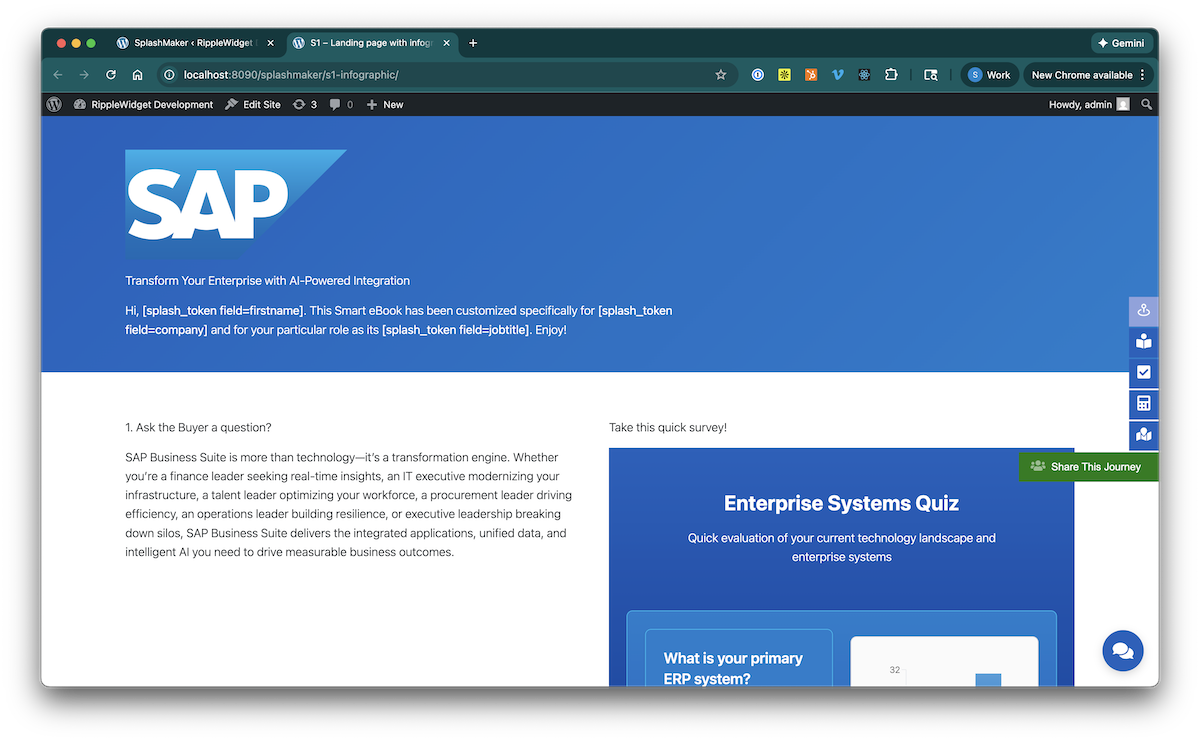
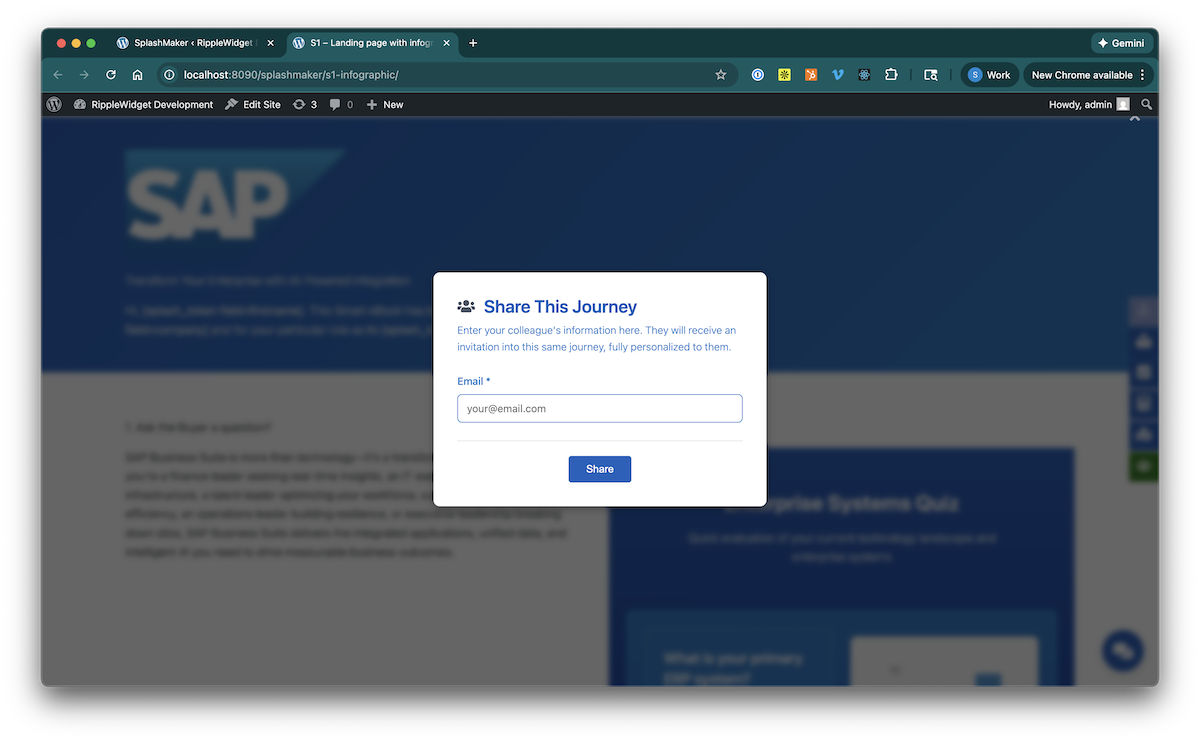
In the case of Splashmetrics and our SplashMaker journeys, we have provided the ability to easily enable this sharing capability.
Though this functionality automatically shows up in the Journey Nav menu when enabled, it actually starts on the Forms page.
Sharing Form
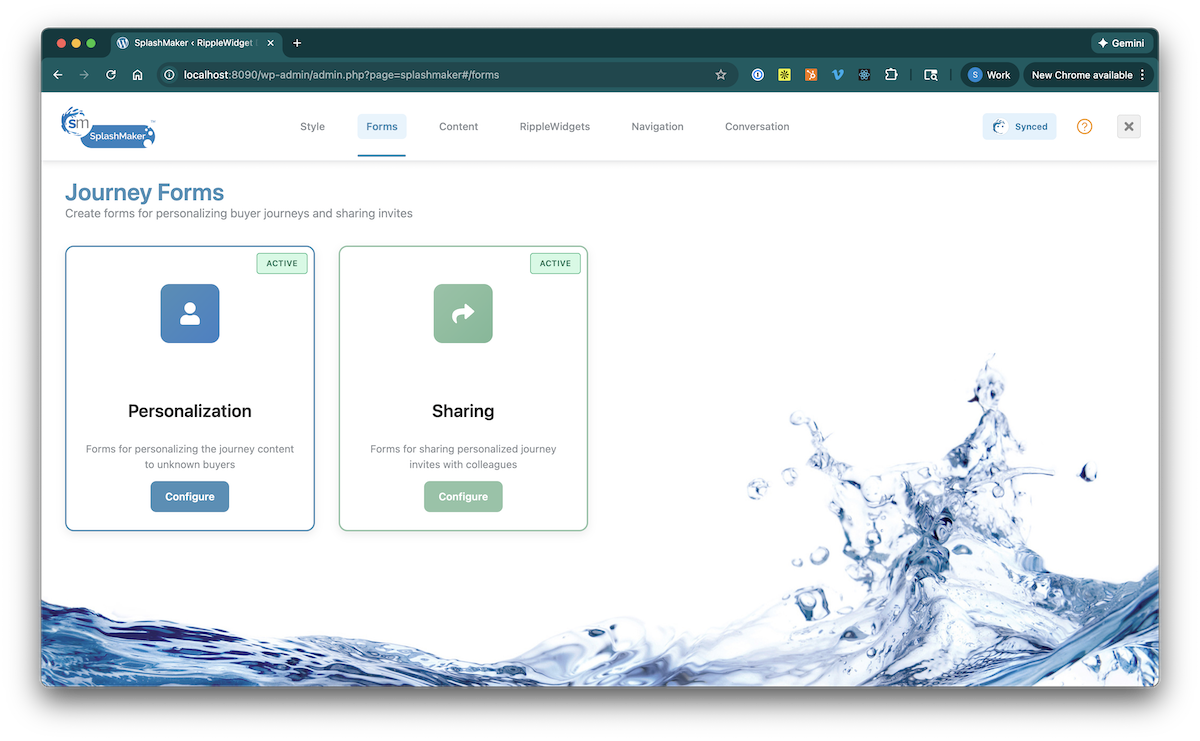
To add this functionality to the Journey Nav menu, just select Configure on the Sharing form and enable the form…
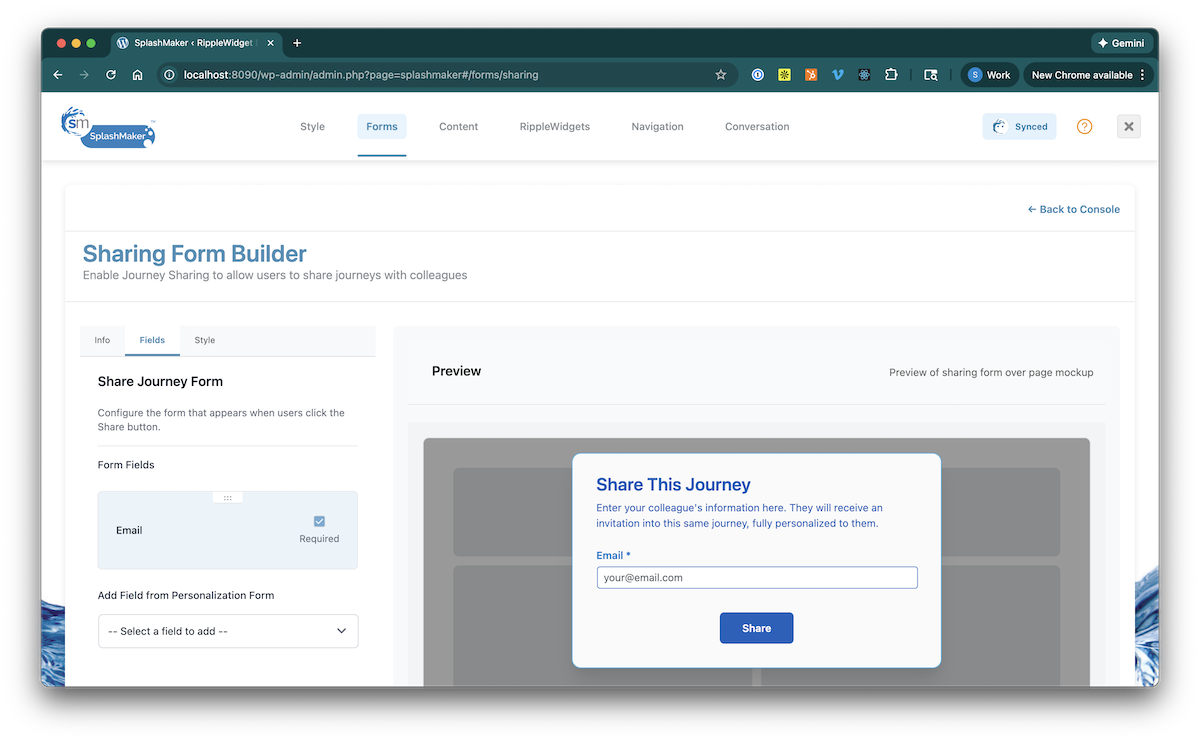
The fields can obviously be whatever you’d like them to be. However, just make sure that you’re capturing enough information to be able to populate the SmartCTA for the email that will go out to the new contact.
Essentially what happens here is that the Buyer adds the information of the colleague. When the form is submitted, the new contact is created in the CRM with the required information.